By HandPrint Magic Team · · Updated
How to Photograph Your Baby’s Hand for a Digital Keepsake
Simple tips for lighting, focus, and hand position so your upload turns into a clear, print-ready digital handprint.
Start with soft, even light
Natural daylight near a window works best. Avoid harsh overhead lights and strong shadows across the palm — they can hide fine lines your keepsake should preserve.
If one side of the hand is much brighter than the other, rotate baby slightly or move closer to the window until the skin tone looks even.
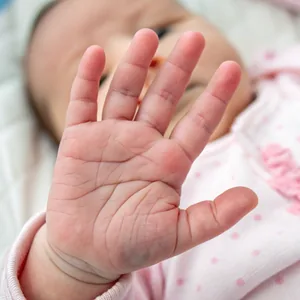
Fill the frame with the hand
Hold the phone about 8–12 inches (20–30 cm) above the hand. The palm and fingers should take up most of the photo — not the blanket, sleeve, or toys around it.
Spread fingers gently but naturally. You do not need a perfect studio pose — just keep the palm and fingers visible and relaxed so we can capture every ridge and crease.
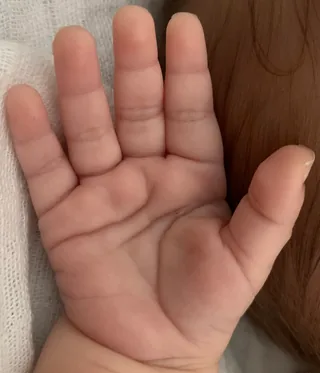
Keep the photo sharp
Rest your elbows on a table or support your phone with both hands. Tap the screen to focus on the center of the palm before you shoot.
If the image looks blurry, take another. A sharp original photo is the single biggest factor in a print-ready result.
What to avoid
- Busy patterned backgrounds behind the hand
- Heavy filters or portrait-mode blur
- Cream, lotion, or wet skin that adds glare
- Extreme angles — shoot from roughly above the palm
Ready to turn a photo into a keepsake?
Upload a clear hand photo and get print-ready digital handprints in minutes.
Start a keepsake · €15 →